

How to Design Custom School Shirts: A Step-by-Step Guide
Table of Contents
- Plan Your Design Concept and Choose Shirt Styles
- School Spirit Shirt Design Ideas That Stand Out
- Best T-Shirt Design Software for Beginners
- Screen Printing vs Direct-to-Garment for School Shirts
- Prepare Your Artwork and Files for Production
- Copyright Compliance and Design Licensing
- Place Your Order and Manage Bulk Quantities
- Conclusion
Last Updated: August 14, 2026
Plan Your Design Concept and Choose Shirt Styles
Before designing custom school shirts, clarify your purpose: a specific event, school spirit initiative, or fundraiser. This shapes fabric choice, artwork complexity, and production timeline.
Define your design vision. Consider whether you want bold, high-contrast graphics readable across a gymnasium or something more subtle. Account for the wearer's age group, elementary designs need simpler imagery than high school versions. Placement matters: chest logos read differently than lower torso or back-of-shirt designs.
Shirt style selection is strategic. Crew necks work for almost any school event and appeal across body types. Long sleeves suit cooler months or formal occasions like academic competitions.
Fabric weight affects how your design prints. Lighter fabrics (4.5 to 5.5 ounces) work well for screen printing and direct-to-film, showing more detail. Heavier fabrics (6 to 7 ounces) provide durability and premium feel, justifying higher fundraising prices.
School Spirit Shirt Design Ideas That Stand Out
Effective school spirit designs balance recognizable branding with visual impact. Your mascot, school colors, and graduation year are foundational, but how you combine them separates forgettable designs from ones students want to wear.
Incorporating mascots requires more than placing your school logo on a shirt. If your logo is small or detailed, it may not translate well to printing. Work with a designer to vectorize your mascot into a clean, scalable graphic. High-contrast versions work best: a bold silhouette in school colors reads instantly.
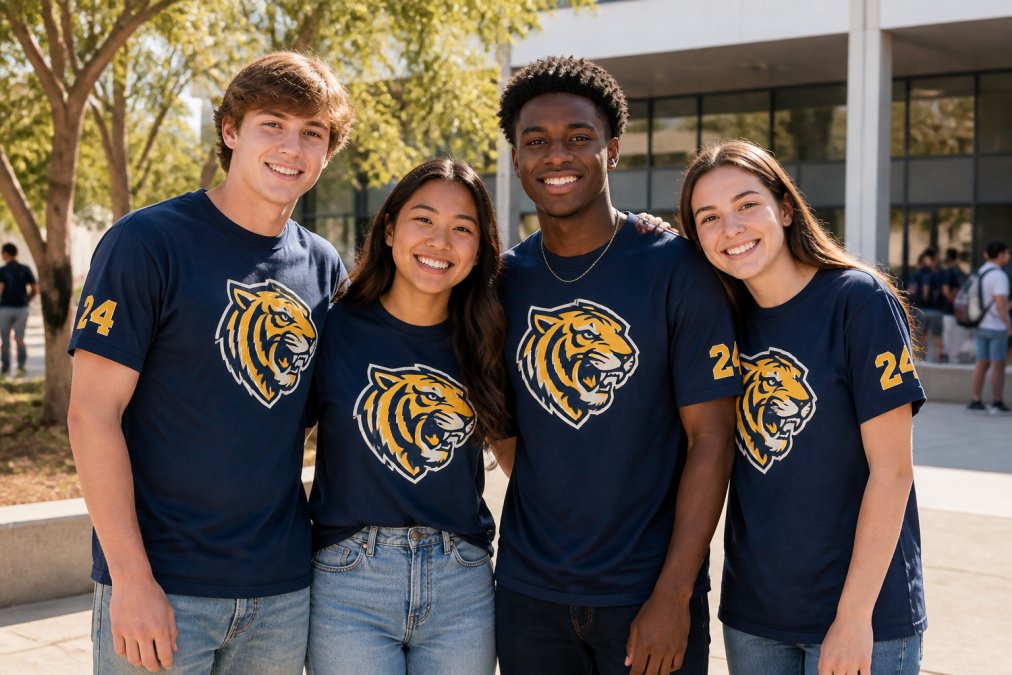
Text placement and typography determine whether your design looks professional or amateur. Graduation years should be prominent but not oversized, typically positioned in one corner or integrated into the mascot. School names work best in clean, sans-serif fonts that remain legible from a distance.
School colors deserve careful consideration. If you have two primary colors, use them as the main graphic and background. If you have three or more, pick the two strongest and use others sparingly as accents. Establish a hierarchy: one dominant color, one supporting color, and one accent for small details.
Best T-Shirt Design Software for Beginners
You don't need expensive software to create professional custom school shirts. The right tool depends on your comfort level, budget, and whether you're creating one design or managing multiple variations.
Canva offers pre-built apparel templates, drag-and-drop functionality, and thousands of graphics and fonts. Upload your school logo, adjust colors, and add text in minutes. The limitation is that output can feel generic, and you're working within their template structure. For simple designs, school name, mascot, graduation year, Canva produces print-ready files that work well.
Adobe Express sits in the middle ground: more powerful than Canva but simpler than full Creative Suite. It integrates with Adobe's font and graphic libraries and produces high-quality exports. If you plan to manage multiple design variations, this is worth the subscription.
For experienced designers, Adobe Illustrator remains the gold standard for creating vector files that print cleanly at any size. It's particularly valuable when vectorizing your school logo or creating custom artwork.
Creating mockups before ordering saves time and prevents costly mistakes. Most design platforms and production vendors offer mockup generators where you can see your design on an actual shirt. Urban Echo Tees provides mockup tools that let you preview designs on different shirt colors and styles.
Screen Printing vs. Direct-to-Garment for School Shirts
Understanding printing methods is critical because each approach has different strengths for school apparel. Your choice affects durability, color accuracy, cost, and turnaround time.
Screen printing uses separate screens for each color in your design. For school spirit shirts with bold, high-contrast designs using two or three colors, screen printing delivers vibrant results at reasonable cost. The ink sits on top of the fabric, creating a tactile feel. Durability is excellent, screen-printed designs last hundreds of washes without significant fading.
The trade-off is set-up fees and color limitations. Each color requires a separate screen, so a five-color design costs more than a two-color design. Screen printing is most cost-effective for larger orders where per-unit cost is low. For small orders (under 25 shirts), set-up fees can make screen printing unexpectedly expensive. Turnaround time typically ranges from 5 to 10 business days.
Direct-to-film (DTF) printing uses specialized inkjet technology to print your design directly onto the shirt. The advantage is unlimited colors and photographic-quality detail. If your design includes gradients or complex imagery, DTF produces results screen printing cannot match. There are no per-color set-up fees, making DTF cost-effective for small orders or multi-color designs. Turnaround time is typically 3 to 7 business days.
Quality matters enormously with DTF. A well-executed DTF print lasts as long as screen printing, but a rushed application can crack or fade faster.
For school shirts, choose based on design complexity and order size. Simple two-color mascot designs benefit from screen printing's bold appearance. Complex designs with multiple colors or gradients suit DTF better. For small orders under 25 units, DTF's lack of per-color set-up fees makes it more economical.
Prepare Your Artwork and Files for Production
Getting artwork ready for production is where many first-time designers stumble. The difference between a file that prints beautifully and one that produces frustrating results often comes down to file preparation.
Vectorizing logos is essential if working with your school's existing logo. Most school logos are raster images (pixels) that don't scale cleanly. Vectorization converts them into mathematical curves that scale infinitely without losing quality. You can do this using Adobe Illustrator or Inkscape, or hire a designer for a modest fee.
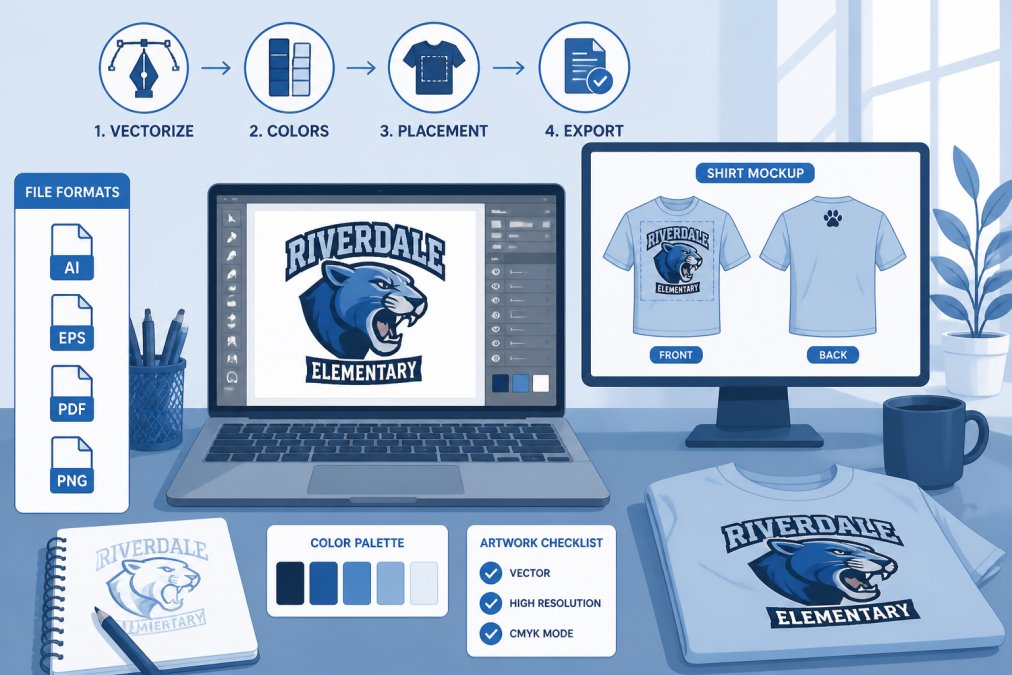
High-contrast graphics print more reliably than subtle designs. If your mascot has fine details or thin lines, those elements risk becoming blurry during printing. Simplify your design slightly, thicken thin lines, and remove unnecessary details. This doesn't make your design crude; it means making intentional choices about what details matter most.
Color accuracy requires understanding RGB (screen colors) versus CMYK (print colors). Your design looks one way on your monitor but prints differently because printers use CMYK inks. Convert your file to CMYK before sending it. This reveals any colors that won't print as expected and gives you a chance to adjust them.
Request a digital proof or physical sample before full production. This catches last-minute issues: text too small to read, colors that don't match expectations, or design elements positioned differently than imagined.
Copyright Compliance and Design Licensing
Using copyrighted material on school apparel creates legal exposure. Understanding what you can and cannot use protects both you and your school.
Your school's name, mascot, and official logo belong to your school district. You have the right to use them on apparel. However, if your mascot is based on a professional sports team logo or licensed character, you're in different territory. Using an NFL team's logo without a license violates trademark law, even for non-commercial school use.
The safest approach is creating original artwork that reflects your school's identity without copying existing copyrighted designs. If you want to use a professional sports logo or licensed character, contact the trademark holder for permission. Many organizations grant limited licenses for school use, sometimes at no cost.
If using student artwork on fundraising apparel, clarify who owns the copyright. In most cases, the school retains rights to student work created as part of school activities, but this should be documented.
Place Your Order and Manage Bulk Quantities
Ordering custom school shirts at scale introduces new considerations around sizing, pricing, and logistics.
Sizing guides for K-12 students vary widely. Elementary students (K-5) typically wear youth sizes XS to L. Middle school students (6-8) wear youth L to adult S. High school students (9-12) usually wear adult S to XXL. Collect sizing information from students beforehand or offer a size exchange policy.
Bulk pricing decreases as order quantity increases. Most vendors offer tiered pricing: quantities 1-24 at one price, 25-49 at another, and 50+ at another. Understanding these price breaks helps you plan order size strategically.
Set-up fees apply differently depending on printing method. Screen printing charges per-color set-up fees (typically $25 to $50 per color). DTF printing usually has lower or no set-up fees. These fees matter most for small orders. When requesting quotes, clarify what set-up fees apply and whether they're waived above a certain quantity.
Standard production typically takes 5 to 10 business days after artwork approval. Rush orders cost more but compress timelines to 2 to 3 business days. Build in buffer time for design revisions, proof approval, and potential shipping delays. Urban Echo Tees handles small orders efficiently, which matters if you're ordering 10 to 25 shirts rather than bulk quantities.
Designing custom school shirts that students want to wear requires balancing school identity, design quality, and practical production considerations. Start with a clear vision of what you're creating and why, move through thoughtful design choices that account for printing limitations, and finish with attention to sizing, color accuracy, and copyright compliance. Urban Echo Tees specializes in small-to-medium custom orders for school events, offering design mockups, fast turnaround, and the flexibility that larger bulk printers often lack. Getting the design right the first time saves money and ensures the final product reflects your school's identity as envisioned.
Frequently Asked Questions
How do I design my own custom school shirt from start to finish?
Start by choosing your shirt style, color, and fabric weight. Sketch your concept or use design software like Canva or Adobe Express to create your artwork. Upload your school mascot or logo, add text with the graduation year or school name in your chosen colors, and generate a mockup to preview how it will look. Once your design is finalized, prepare your files in the correct format (typically PNG or PDF with high resolution) and submit them to your printer with details about quantity, sizing, and delivery date.
What is the difference between screen printing and direct-to-garment printing for school shirts?
Screen printing uses screens to apply ink layer by layer, making it ideal for bold, high-contrast graphics and large bulk orders. It offers durability and cost efficiency at scale but has longer setup times. Direct-to-garment printing applies design directly onto the fabric using inkjet technology, allowing photorealistic detail and unlimited colors, perfect for small orders and complex artwork. Direct-to-garment typically has faster turnaround times but costs more per unit for small quantities. Choose screen printing for 50+ shirts with simple designs; direct-to-garment for 10-30 shirts with detailed or full-color artwork.
What software should beginners use to design school spirit shirts?
Canva and Adobe Express are free, beginner-friendly options with drag-and-drop templates and design elements. For slightly more control, Photoshop or GIMP (free) work well but have steeper learning curves. Many custom apparel platforms include built-in design tools. For vectorizing logos and ensuring print-quality files, Illustrator is professional-grade but requires a subscription. Start with Canva's school shirt templates, upload your mascot as a high-resolution image, and customize colors and text. Export as a high-resolution PNG or PDF before sending to your printer.
How can I make sure my school shirt design complies with school dress codes and copyright rules?
Review your school's dress code policy to confirm allowable design placement, size, and messaging. Avoid copyrighted characters, brand logos, or images unless you have explicit permission. Use your school's official mascot and colors only if authorized by administration. If using student artwork, obtain written consent from the artist or their parents. For fundraising apparel, ensure any slogans or imagery align with school values. When in doubt, submit your design concept to school administration for approval before printing, especially for large bulk orders intended for student wear.
This article was written using GrandRanker