

Custom T-Shirt Printing for Small Orders: 2026 How-To
Table of Contents
- Why Small Orders Are Easier Than Ever in 2026
- What You'll Need Before You Order
- Direct to Garment Printing vs Screen Printing for Small Runs
- Best File Formats for Custom Apparel Printing
- The Real Cost of Custom T-Shirt Printing for Small Orders
- Step-by-Step: How to Place a Small Custom T-Shirt Order
- Common Mistakes to Avoid with Small-Batch Printing
- Frequently Asked Questions
Last Updated: September 25, 2026
Why Small Orders Are Easier Than Ever in 2026
The custom t-shirt printing market hit $6.85 billion in 2026 and is projected to reach $15.62 billion by 2033, according to Coherent Market Insights' market analysis. That growth is fueled by demand for personalized apparel and the spread of digital printing, which makes small-batch production practical.
Custom t-shirt printing for small orders has changed because digital methods removed the old barriers. Here's what most guides get wrong: they still frame small runs as a compromise. They aren't anymore. For a teacher appreciation event, a family trip, or a class of eight kids, you can now get professional results without a bulk commitment. This guide walks through methods, file prep, and real costs.
What You'll Need Before You Order
Gather four things before you request a quote: finished artwork, a size breakdown, a deadline, and a budget range. Orders stall most often because one of these is missing.
Start with a headcount and size spread. If you're ordering gifts for people you won't see in person, collect sizes in advance.
Artwork, Sizes, and Deadlines
Your artwork should be print-ready, meaning high resolution and the correct color mode. Sizes should be listed by garment, not just a total count. Deadlines should account for proof approval and shipping, not just printing. Build in a buffer: rush orders cost more and leave no room for a reprint if a proof reveals a problem.
Direct to Garment Printing vs Screen Printing for Small Runs
Direct-to-garment printing wins for small runs; screen printing wins for large ones. But the reason isn't just "no minimums", it's the setup math. Screen printing requires a separate screen for each color in your design, and each screen carries a one-time setup fee plus a test print. On a 10-shirt order, that setup gets divided across 10 garments. On a 100-shirt order, it's divided across 100. That's the entire economics of small-batch printing in one sentence.
When Each Method Makes Sense
- DTG: 1-25 shirts, full-color or photographic designs, no minimum order quantity, no per-color setup
- Screen printing: 50+ shirts, simple designs with 1-4 colors, lowest cost per unit at volume
For most small orders, DTG is often a practical choice for detailed, colorful artwork.
The Crossover Point
A common pattern is that the per-unit cost of different printing methods converges somewhere between 24 and 48 shirts, depending on how many colors your design uses. Below that range, certain digital methods often win on total cost. Above it, other methods may pull ahead, but only if your design uses few enough colors that the setup doesn't eat the savings. A one-color design crosses over earlier than a six-color design.
DIY vs. Professional Outsourcing
If you're weighing whether to print at home, the math is worth running honestly. A basic heat press runs a few hundred dollars, plus vinyl or transfer sheets, plus the garments themselves. A DTG printer suitable for production runs costs several thousand dollars and requires maintenance, ink, and pretreat solution. For a single order of 10 shirts, home equipment rarely pays for itself unless you plan to print repeatedly.
Most practitioners find the break-even for a heat press and vinyl setup lands somewhere around 30-50 shirts of simple one-color designs, and that assumes your time is free and your designs are simple enough for vinyl cutting. For full-color or photographic artwork, home DTG is the only DIY route, and the equipment cost pushes the break-even into the hundreds of shirts. If you're printing once for a family trip or a class event, outsourcing to a small-batch printer is almost always cheaper than buying equipment.
The Sustainability Angle
Small-batch printing has an environmental advantage that bulk ordering doesn't: less overproduction. The apparel industry's biggest waste problem is unsold inventory, and small runs sidestep it. If sustainability matters to you, consider asking about ink types and sourcing practices. Water-based inks can offer a softer feel on the fabric.
Best File Formats for Custom Apparel Printing
The best file formats for custom apparel printing are vector files like AI, EPS, and PDF, because they scale without losing quality. Vector graphics are built from math, not pixels, so your design stays sharp at any print size.
Raster files like JPG and PNG work too, but only at high resolution. Aim for 300 DPI at the actual print size. Below that, edges soften and fine detail disappears.
- Vector (best): AI, EPS, PDF, SVG
- Raster (acceptable): PNG or JPG at 300 DPI, transparent background
- Avoid: screenshots, low-resolution images pulled from social media, and files saved from a phone
A common mistake is sending a design that looks crisp on screen but was exported at web resolution.
The Real Cost of Custom T-Shirt Printing for Small Orders
The cost of custom t-shirt printing depends on quantity, print method, garment quality, and deadline. Small runs carry a higher cost per unit than bulk orders because setup and labor are spread across fewer shirts. That's the standard answer. What most guides skip is the actual shape of the curve, how much the per-unit price drops as your order grows, and where it stops dropping.
What Drives Your Cost Per Unit
- Quantity: more shirts means a lower cost per unit, but the drop is steepest between 1 and 25 shirts
- Print method: Different printing methods have varying setup fees and cost structures.
- Garment: fabric weight and brand of wholesale blanks change the base price, a basic cotton tee and a heavyweight ring-spun tee can differ by several dollars per unit before printing
- Colors and placement: each print location and color adds cost; a second print location (like a back print) is effectively a second job
- Turnaround: rush orders carry a premium, often a meaningful percentage on top of the standard rate
How the Per-Unit Price Actually Moves
A common pattern across small-batch printers is that the per-unit price falls fastest in the first 10-20 shirts and then flattens. The reason is fixed costs: artwork setup, file prep, and the first test print are often the same whether you order 5 shirts or 20. Once those are absorbed, each additional shirt adds mostly garment and ink cost.
The Honest Trade-Off
A bulk printer may quote a lower per-shirt rate, but only if you order 50 or more. For a genuine small order, the total you pay is often lower with a small-batch printer, even when the per-unit rate looks higher. Ask for a full quote with setup, shipping, and taxes included before you compare.
How to Estimate Your Own Order
You can build a rough estimate without a quote by separating the fixed and variable parts. Fixed costs are setup, file prep, and any rush fee. Variable costs are the garment, the ink, and the second print location. Multiply the variable cost by your shirt count, add the fixed cost, then divide by the shirt count to get your true per-unit price.
Where the Money Actually Goes
It helps to know that on a small order, the garment itself is often the largest single line item, not the printing. That's why fabric choice moves your total more than most people expect. A cheaper blank can cut your cost meaningfully, but it also changes how the print looks and feels. If you're choosing between a heavier blank and a second print location, the heavier blank usually delivers more perceived value per dollar.
Step-by-Step: How to Place a Small Custom T-Shirt Order
Placing a small order usually takes a few days from artwork to delivery, depending on the deadline you set.
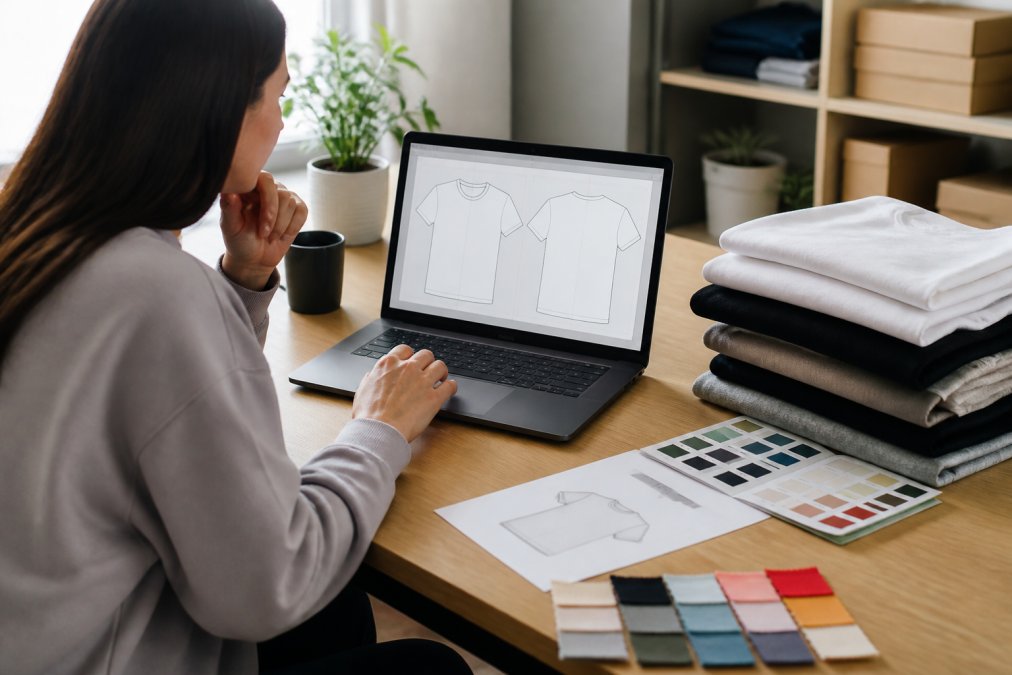
- Finalize your artwork. Confirm file format, resolution, and design placement.
- Collect sizes and quantities. List each garment size separately.
- Request a quote. Share your deadline, and ask what's included.
- Approve the proof. Check spelling, colors, and placement before production.
- Confirm shipping. Review the delivery date against your event.
Common Mistakes to Avoid with Small-Batch Printing
The biggest mistake with small-batch printing is skipping the proof, followed closely by underestimating turnaround times. Both are avoidable.
- Ordering sizes without confirming them with recipients
- Assuming screen colors match printed colors exactly
- Forgetting that shipping adds days, not hours
- Choosing the lowest quote without checking what it excludes
- Submitting low-resolution artwork and hoping it prints clean
Frequently Asked Questions
How much does it cost to get a custom t-shirt printed for a small order?
The cost of custom t-shirt printing depends on quantity, printing method, shirt quality, and design complexity. For small orders, setup fees and per-unit pricing vary by printer. Certain digital methods often have lower setup costs than traditional screen printing, which may require screens per color. Request a quote from Urban Echo Tees for exact pricing on your specific order.
What are the minimum order quantities for custom t-shirt printing?
Minimum order quantities vary widely. Many traditional screen printers require 12 to 50 pieces, but other printing methods can allow for smaller orders. Urban Echo Tees specializes in small orders, so you can get just the number you need without paying for extras you don't want.
Is it cheaper to screen print or use digital printing for small orders?
For small orders, certain digital printing methods are often more cost-effective because they may not require setup screens. Screen printing can become more cost-effective at higher quantities, often above 50 shirts, because the setup cost is spread across more units. For a run of 10 to 20 shirts, certain digital methods typically offer a lower total cost and faster turnaround.
How do I prepare my artwork for custom t-shirt printing?
Prepare your artwork as a vector file (AI, EPS, or PDF) with outlined fonts for the best results. If you only have a raster file, use at least 300 DPI at the final print size. Include a transparent background and avoid low-resolution images. Urban Echo Tees can help you check your file before printing.